LiveATC for Android
- 3.8
- Rating
- 100.00K
- Installs
- $3.99
- Price

 Analysis by App-foxy
Listening to an airport from a phone is a very different experience from watching aircraft icons move across a map. LiveATC is built around the sound itself: conversations between pilots and air traffic controllers, heard live from airports around the world. I found that focus both more absorbing and more demanding than the usual travel apps, because it rewards attention rather than quick glances.
Developed by LiveATC, this Android app sits in the Travel & Local category and costs $3.99. It is rated for Everyone, runs on Android 6.0 and later, and has reached over 100 thousand installs. The current version is 3.0.63, while the app has been available since May 28, 2011. Those details matter because this is not a brand-new experiment; it is a long-running specialist tool that has had time to settle into a particular purpose.
My overall impression is that it works best as an audio companion for aviation enthusiasts, travelers who want to understand what is happening around an airport, and anyone who enjoys the rhythm of real radio communication. It is less suitable for someone expecting flight-status alerts, boarding information, a visual route planner, or a polished general-purpose travel assistant. The app’s value depends heavily on what you want to listen to and how much patience you have for radio traffic.
You May Also Like

 Blood Strike: 2.5 Anniversary
Blood Strike’s Loadouts Turn Every Drop Into a Tactical Gamble
A close look at Blood Strike’s custom loadouts: how fast access to signature weapons reshapes its battle royale rhythm, rewards preparation, and narrows the gap between fights.

 Pandora - Music & Podcasts
Pandora’s Music Is Easy to Start, but Harder to Recover
Pandora’s strength is its low-effort path from a seed to a station. Its weak spot is how much confidence it asks you to place in connection, setup, and quiet recovery.

 8 Ball Pool
8 Ball Pool Is Built on Rivalries, Rematches, and Routine
A close look at the rivalries, rematches, shared routines, and unanswered safety questions that turn a quick pool match into a persistent mobile community.

 Samsung Music
Samsung Music’s Quiet Strength Is Playing What You Already Own
Its reach comes less from spectacle than from dependable access to a personal library. That simplicity is both the app’s strongest retention engine and its ceiling.

 AccuWeather: Weather Radar
AccuWeather Review: A Quick, Clear Forecast for Everyday Decisions
For everyday plans, the best forecast is the one you can understand quickly. AccuWeather makes rain timing, radar, and local conditions easy to act on, with a few trade-offs.

 Hill Climb Racing
Why Hill Climb Racing Still Turns Crashes Into One More Run
A tiny car, a bumpy hill and one more upgrade: Hill Climb Racing keeps resurfacing because its simple chaos makes every near-miss feel personal.
More From Our News Desk



How the current experience feels in everyday use
The basic idea is simple: choose an airport or aviation listening point, start a live feed, and follow the exchanges as they happen. In practice, the experience is closer to tuning into a busy radio channel than opening a conventional travel service. Voices may be brief, clipped, repeated, or interrupted by other transmissions. That is part of the appeal, but it also means the app does not always provide instant entertainment.
I would not open it expecting a guided explanation of every aircraft movement. The app assumes that the listener is willing to pay attention to call signs, runway references, clearances, and changing voices. Even when I did not understand every exchange, the flow gave me a stronger sense of an airport as a working environment rather than a static place on a map.
A useful everyday scenario is waiting at home for someone’s flight. Instead of repeatedly refreshing a flight tracker, I could listen to the relevant airport’s traffic and get a feel for whether the airfield was quiet, busy, or full of holding and departure activity. That does not replace official flight information, but it adds atmosphere and context that a status screen cannot provide.
Another good use is preparation before visiting an unfamiliar airport. Listening for a while can help a newcomer become familiar with the pace and vocabulary of aviation radio. I would not treat it as a lesson or rely on it for operational decisions, but it can make the sounds heard during a trip feel less mysterious. For aviation students and hobbyists, that repeated exposure is more useful than a short novelty session.
The app is strongest when sound is the main event
The best reason to pay for this app is that it keeps the focus on live aviation audio. Many travel applications are designed to answer a direct question: Is my flight delayed? Where is the gate? What is the route? This one answers a different question: What is being said on the radio right now?
That distinction makes it a poor substitute for a flight tracker, but a good companion to one. I can imagine using a visual tracker to identify an aircraft and this app to listen to the airport environment at the same time. The two tools serve different purposes, and trying to force LiveATC into the role of a conventional tracker would make it seem less capable than it really is.
The audio-first design also changes how I use my phone. I do not need to stare at the screen continuously. Once a feed is playing, I can listen while reading, traveling, or waiting. At the same time, passive listening has a drawback: if I miss a short transmission, there may be no obvious way to reconstruct what was said. This is an app that rewards active listening when the conversation matters.
For that reason, headphones are often the better choice, especially in a noisy airport or on public transport. Speaker playback can make speech harder to follow, and radio audio already has a compressed, busy quality. A quiet room and moderate volume make a noticeable difference. I also recommend starting with a few minutes of listening before deciding whether a feed is useful; a quiet stretch does not necessarily mean the app is failing.
Why airport choice changes the whole experience
The selected location is more important here than it is in most travel apps. A large, busy airport can produce a steady stream of transmissions, but that does not guarantee clarity. Multiple conversations, rapid handoffs, and unfamiliar call signs can make the feed difficult for a beginner. A quieter location may be easier to understand, even if there are longer pauses.
My practical advice is to begin with an airport you already know. Familiar runway names, city references, and airline movements give you something to connect the audio to. Once the language starts making sense, exploring other locations becomes more rewarding. Choosing a random airport immediately can create the wrong impression because the app’s usefulness depends on the quality and activity of the selected feed.
This also creates a trade-off for travelers. If I am interested in a particular journey, listening to the departure airport may be more meaningful before takeoff, while the destination becomes more relevant later. The app is therefore not just something to leave running permanently; it works better when I choose a listening point with a clear reason in mind.
Small habits that make listening more useful
One of the most helpful habits is to keep a note of terms or call signs that repeat. A short transmission can sound like noise until a recurring identifier gives it structure. I found that writing down a few words and checking their context later made the next listening session easier. This turns the app from background audio into a gradual learning tool.
A second useful approach is to listen in short focused sessions rather than leaving it on for hours. Ten or fifteen attentive minutes can teach me more than a long period of half-listening. I can concentrate on departures, arrivals, or controller instructions separately instead of trying to understand every voice at once. This is especially helpful for beginners who might otherwise feel overwhelmed.
A third tip is to pair the audio with a separate visual source, but not to confuse the two. A map or flight-status service can show which aircraft are moving, while LiveATC supplies the radio context. If the visual information and audio seem unrelated, that may simply reflect timing, different traffic, or a transmission I missed. The combination is informative, but it still requires interpretation.
Finally, I would avoid judging the app during an unusually quiet period. Radio traffic naturally varies, and a feed can be interesting one moment and sparse the next. If I only want constant action, I may become frustrated. If I am comfortable listening for patterns and waiting for relevant exchanges, the pauses feel more natural.
What has changed, who benefits, and where it still falls short
I’ve found that the biggest change in the current experience is not that live radio has become simple, but that the app remains a focused way to reach it on Android. That suits listeners who already know why they want airport audio, while newcomers still need patience to make sense of what they hear. The next question is how that focused role fits into a shared household routine.
The current version and the sense of product evolution
Version 3.0.63 shows that the Android app has continued beyond its original release rather than remaining frozen in its first form. I see that as a positive sign for a specialist product with a narrow audience. The long availability since 2011 also suggests continuity: this is an established listening service, not a temporary aviation novelty.
However, a version number alone does not tell me that every part of the experience has been modernized. I would be careful about expecting the visual polish of a newly designed mainstream travel app. The important question is whether the current build gets me to live aviation audio with enough reliability and clarity. For this particular purpose, functional access matters more than decorative interface work.
Existing users are likely to appreciate continuity most. Someone who already understands the app’s listening model can open the current version and get back to the activity that brought them there. New users may need more time because the product does not remove the inherent complexity of radio communication. The learning curve comes less from complicated controls and more from understanding what is being heard.
The app’s average rating is 3.8 from around five thousand ratings, with 759 written reviews. I read that as a sign of a useful but specialized product rather than a universally satisfying one. People who want live airport radio may find the purchase worthwhile, while people who expected flight tracking or travel planning may judge it against the wrong standard.
Who should pay for it, and who should skip it
I think the $3.99 price makes sense for regular listeners who already know they enjoy aviation radio. It is a modest one-time decision compared with buying equipment for a dedicated listening setup, and the app is convenient because it puts the experience on an Android phone. For someone who listens only once out of curiosity, the value is less certain.
I would recommend it to plane spotters, aviation hobbyists, frequent travelers, and learners who want repeated exposure to real communication. It can also suit families with a genuine interest in aircraft, provided an adult explains that the audio is live operational communication rather than a children’s entertainment channel. The Everyone age rating makes it broadly accessible, but the content can still be difficult for younger listeners to follow.
I would skip it if my main goal were gate changes, baggage information, airline support, airport directions, or dependable delay notifications. It is also not the right purchase for someone who dislikes waiting, cannot tolerate unclear speech, or wants every event explained in plain language. A visual flight tracker or the airline’s own application will be better for practical travel decisions.
There is another important limitation: live radio is not the same as a recording library. If I want to replay a specific exchange, study a conversation slowly, or search a transcript, this kind of live listening may not satisfy me. The immediacy is the attraction, but immediacy also means that missed moments are simply missed. Users who need structured lessons should look for an aviation training resource alongside this app.
How it compares with familiar alternatives
Compared with flight-tracking apps, LiveATC offers less visual certainty but more atmosphere. A tracker can usually show an aircraft’s position and route in a way that is easy to scan. This app asks me to listen and interpret. If I want to know whether a relative’s flight is approaching, the tracker is faster. If I want to hear the operational texture around the airport, LiveATC is more distinctive.
Compared with airport information apps, the difference is even sharper. Airport apps tend to organize terminals, services, maps, and passenger details. LiveATC is not trying to replace those tools. It is useful before or during a journey when I want a sense of the airfield, but it will not be my first choice for finding a restaurant, locating a gate, or checking a terminal instruction.
Compared with simply searching for aviation videos or recorded radio clips, the live format feels less polished but more authentic. Recorded material is easier to pause and understand, while live audio gives me the challenge of following events as they unfold. I prefer LiveATC when I want an ongoing connection to an airport, but I would choose recordings when I am deliberately studying terminology.
That comparison explains the app’s narrow appeal. It is not a universal travel utility, and it should not be judged as one. Its strength is specialization. The trade-off is that every feature decision seems to serve listeners who already care about live airport communication, leaving less room for people who want a broad travel toolkit.
Remaining gaps and sensible expectations
The largest gap is accessibility for newcomers. Hearing a stream is easy; understanding it is not. A first-time listener may not know which parts matter, why a controller repeats an instruction, or how to distinguish one aircraft from another. I would welcome more built-in guidance around the listening experience, but I would not assume that a specialist radio app will teach the entire subject by itself.
Another gap is the difference between live access and dependable travel information. A transmission can reflect what is happening on a frequency, but it is not a passenger notification system. I would never use the audio as the sole basis for deciding when to leave for the airport, whether a flight has officially changed, or whether a connection is safe. Those decisions belong to airline and airport sources.
Connectivity is also part of the practical trade-off. Because the central appeal is live audio, I would plan to use it where my phone can maintain a stable connection. Travelers should not treat it as an offline resource for a flight or a remote trip. Even when the app itself opens normally, live listening depends on access to the stream.
Privacy and battery expectations are worth considering in ordinary use, too. Streaming audio for a long time can be less convenient than a short check, especially while traveling. I prefer focused sessions and headphones rather than leaving the app active throughout an entire day. That is not a criticism unique to this product; it is a consequence of choosing continuous live audio over occasional text updates.
What I would watch as the app continues
For future updates, I would pay attention to how easily new listeners can discover a suitable airport and understand what they are hearing. The product does not need to become a general travel platform, but clearer orientation would make its specialist purpose more approachable. The best improvement would be one that reduces confusion without burying the live audio under unnecessary extras.
I would also watch how the current Android experience handles the needs of long-time users. Since the app has been available for many years, continuity is valuable. Changes should make listening more dependable and easier to resume, while preserving the directness that existing aviation fans expect. A redesign that looks modern but makes the audio harder to reach would be a step backward.
My final recommendation is straightforward: buy it if live airport radio is the feature you actually want, and treat the $3.99 as the price of a focused listening tool rather than a complete travel service. I enjoyed the moments when a busy airport suddenly became understandable through its voices and rhythms. I also noticed the pauses, the jargon, and the occasions when a visual tracker would have answered a practical question faster.
LiveATC is at its best when you approach it as a window into aviation communication, not as a replacement for flight information. For the right listener, that window is unusual and genuinely engaging. For everyone else, especially travelers seeking simple status updates, a conventional flight or airport app will be the more useful choice.
FAQs for LiveATC for Android
01What is LiveATC for Android and what can I use it for?
LiveATC is an aviation audio-listening app that lets you hear live air traffic control communications from participating airports around the world. After choosing an available airport, you can listen to pilot and controller transmissions, monitor arrivals and departures, and follow general airport activity. It is useful for aviation enthusiasts, flight students, travelers, and anyone curious about how airport radio communications work.
02Does LiveATC provide coverage for every airport?
No. LiveATC coverage depends on whether an airport has an available receiver and whether its radio feeds are supported by the service. Large and busy airports are more likely to appear, but coverage can vary considerably by country and region. Before downloading or subscribing, check the airport directory in the app to confirm that the locations you want to monitor are available and currently online.
03Does LiveATC for Android require an internet connection?
Yes. LiveATC streams audio over the internet, so the app needs a reliable Wi-Fi or mobile-data connection to work properly. Audio quality and playback stability depend on your signal, network congestion, and the condition of the selected feed. Listening for long periods over cellular data may use a noticeable amount of your data allowance, so Wi-Fi is generally the better option.
04Is LiveATC free to use, or does it include paid features?
LiveATC may offer basic access while also including advertising, premium options, or subscription-based features depending on the current Android version and regional availability. The exact benefits and pricing can change, so review the Google Play listing and the in-app purchase screen before committing. Check whether your preferred airports, ad-free listening, archives, or additional tools require payment.
05Can I use LiveATC to track a specific flight or hear private communications?
LiveATC is primarily designed for listening to publicly available aviation radio feeds, not for accessing private conversations or guaranteeing coverage of a particular flight. A flight may not appear if it uses a different frequency, if the relevant airport feed is unavailable, or if the aircraft is outside the covered area. Always treat the app as an informational listening tool rather than an official flight-status source.
Pros
- Live audio from airport control towers and pilot frequencies
- Useful for aviation enthusiasts
- students
- and flight tracking
- Large selection of airports and worldwide ATC feeds
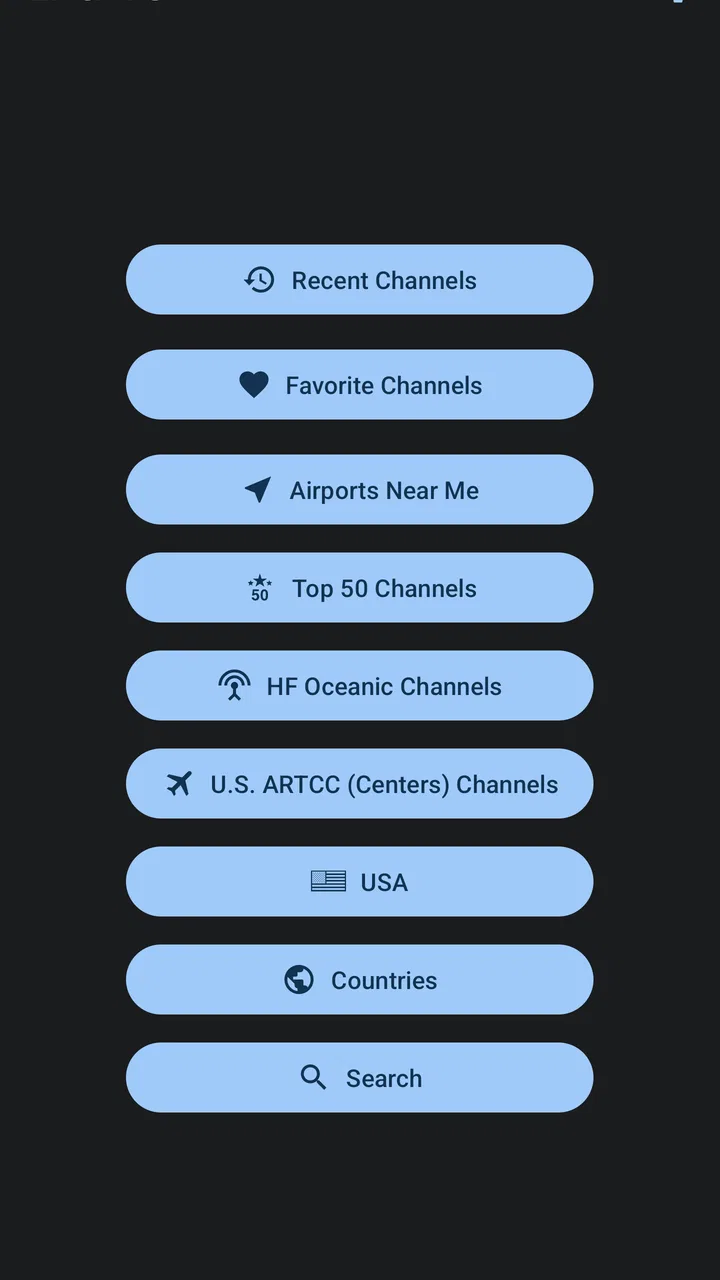
- Simple interface with quick access to saved airports
- Background playback lets you listen while using other apps
Cons
- Coverage depends on available local receivers and may vary widely
- Some feeds can be offline
- delayed
- or temporarily unavailable
- Audio quality differs between airports and recording equipment
- The number of available features may depend on the subscription
- ATC conversations can be difficult for beginners to understand

LiveATC for Android
Gallery